
Arthur Queffelec
Friday, March 20, 2026 | 6 minutes
Private Journaling with Emotion Analysis
Introduction
Hi there!
In a previous article, I experimented with running a BERT-based emotion classification model directly on-device using ONNX Runtime in Flutter. (You can catch up on that here!) At the time, I just wanted to see if I could create a smooth local inference experience without relying on external APIs.
But a technical demo only goes so far. I started wondering: what would this look like as a real-world tool?
That question led me to build Sentiment, a private, on-device journaling app designed to help you navigate your emotional landscape.
Journaling felt like the perfect fit for this technology. It produces rich text, rewards deep introspection, and, above all, requires absolute privacy. This project is my attempt at turning a successful experiment into a functional, polished application that helps you see the patterns behind your words.
Why Journaling ?
Journaling has been shown to have a lot of benefits for mental health, emotional processing, and self-reflection (Smyth & Helm, 2003, Ruini & Mortara, 2022, Sohal et al., 2022).
However, it can be easy to fall for your own biases, and not obtain a very accurate picture of your emotional state. Furthermore, when writing down you thoughts, especially when they are still fresh, it can be hard to step back and analyze them in a more objective way. This is where I thought that some kind of real-time analysis could be useful.
Additionally, a journal is, at its core, just unstructured text accumulated over time. You write entries, sometimes regularly, sometimes not, and eventually you end up with a large amount of data that is hard to navigate. Reading past entries can be useful, but it doesn’t really scale. Patterns are not obvious, and emotional evolution is mostly implicit.
What I wanted to build was something that doesn’t just store entries, but helps interpret them. You can observe trends, see how your emotional state changes, and maybe even get some insights that would be hard to notice otherwise.
A Simple Experience
To make that possible, the writing flow needed a straightforward structure.
Instead of going straight into free writing, each entry is framed by a simple idea: capturing your state before and after. The entry sits in between, and becomes something that can be analyzed.
This creates a small feedback loop. Writing is no longer just expressive, it becomes something you can reflect on almost immediately. In particular, it allows you to compare the emotional signal from the text with how you felt, which can give you a better understanding of your own emotional patterns.
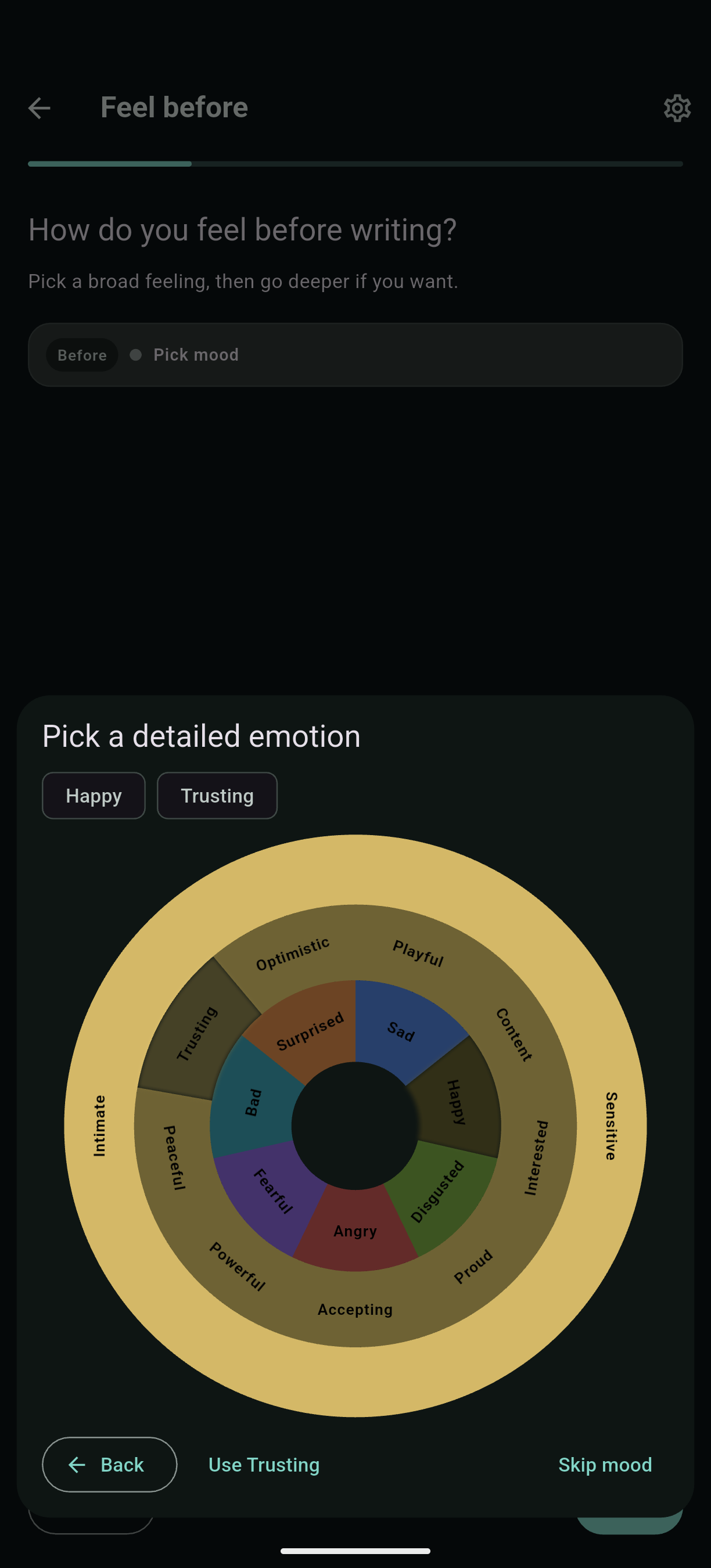
The interactive emotion wheel is based on the one developed by Gloria Willcox (Willcox, 1982). It’s a simple way to capture your emotional state in a more structured way, and it also serves as a visual representation of the emotional spectrum.
Interpreting your Thoughts
As you write down your thoughts, the app is analyzing them in real time. This is where the model from the previous experiment comes in. The text is broken down into sentences, each of which is associated with an emotion, and then aggregated into a broader signal.
Your thoughts labeled with emotions, you can review them on the fly. Realizing that your thoughts carry anger, for instance, might allow you to question it, what hurt you, what frustrated you.
This model is not perfectly accurate, and will make mistakes, but with a critical eye, it can still be a useful tool to gain insights into your own emotional patterns.
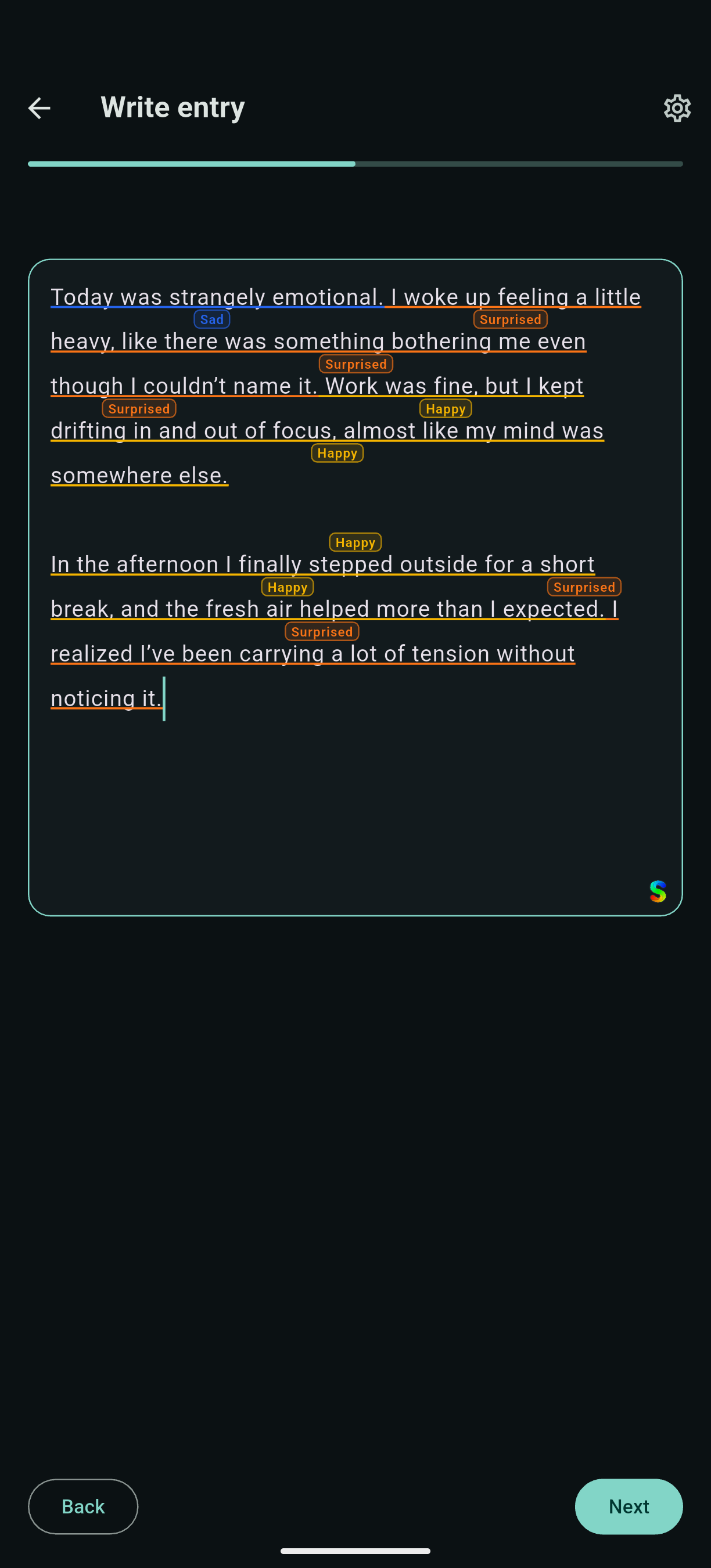
Each emotion is associated with a color for you to easily identify it, and each sentence is independently analyzed. This way, you can quickly get a sense of the emotional tone of your entry. After you finish your entry, the entry as a whole is also analyzed to obtain context beyond individual sentences.
From Text to Patterns
Once entries start accumulating, the interesting part shifts from individual texts to trends.
Because each entry carries a consistent emotional signal, it becomes possible to look at how things evolve over time. Not in a highly detailed or overwhelming way, but just enough to surface patterns that would otherwise go unnoticed.
You might observe periods of anxiety, or see how your emotional state changes in response to certain events. You might even be able to correlate it with other factors, like sleep or exercise.
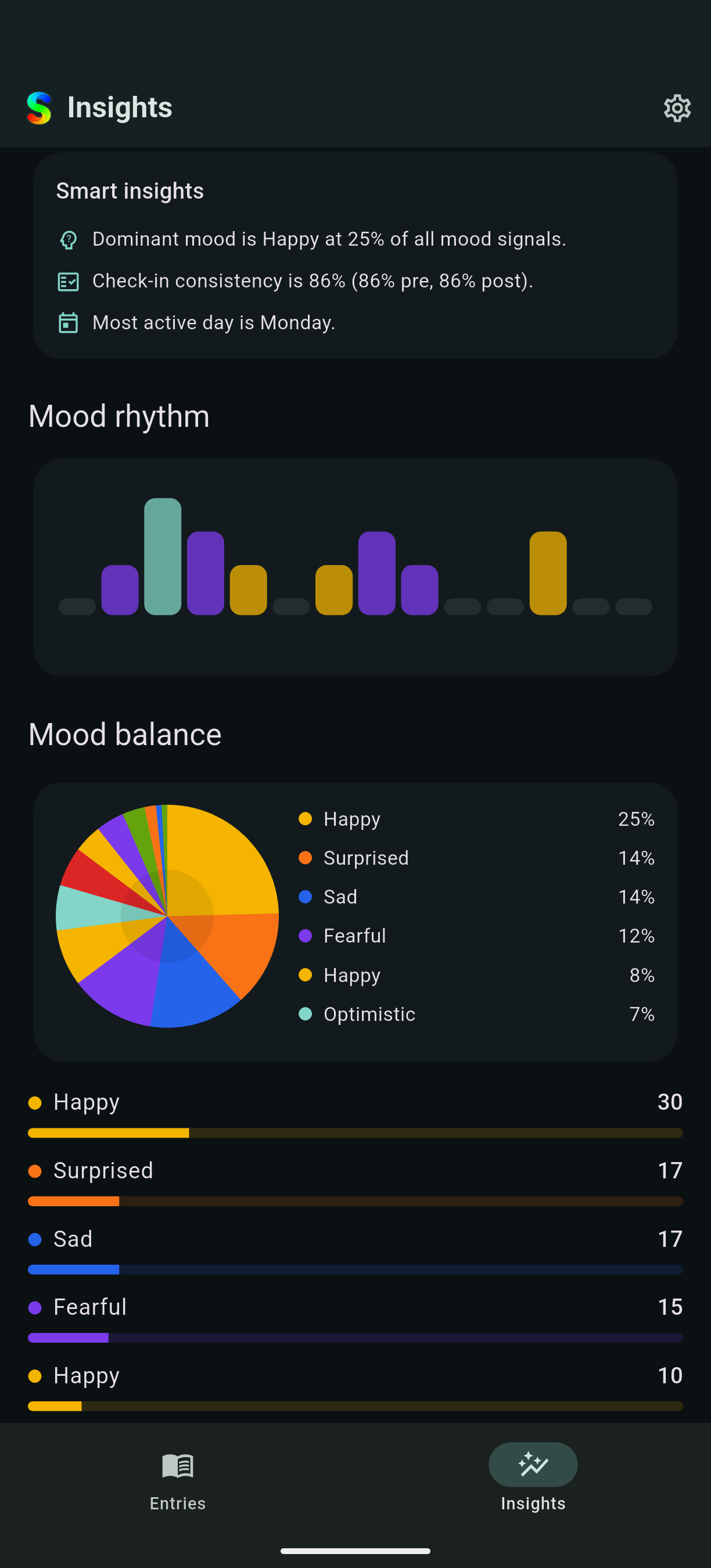
The emotion distribution is a simple way to see which emotions are more prevalent in your entries over time.
Security and Privacy
Since everything is stored locally, protecting access becomes essential. The app is locked behind a password, with optional biometric authentication, and the data itself is encrypted at rest. The idea is simply to ensure that the content remains accessible only to the person who wrote it. If you decide to back it up, that’s your choice, but by default, it’s designed to be a private space.
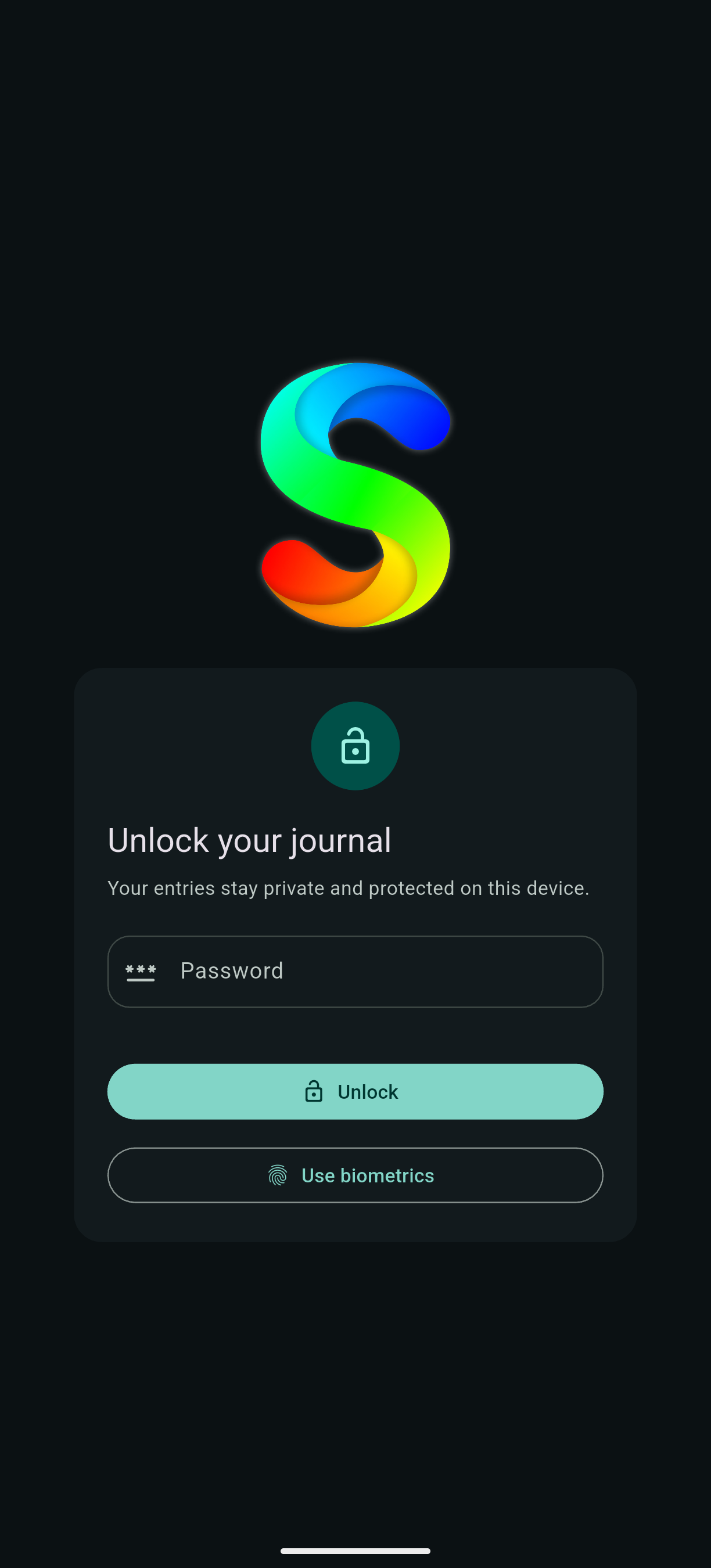
It is worth noting that even though the data can be backed up, losing your password would mean losing access to it, since it’s encrypted.
The model processing the text is also running locally, so no data is sent to any server. The app is designed to be a completely self-contained experience, where your data never leaves your device.
Closed Beta
The app is currently being prepared for release on Google Play. In the meantime, I’m running a closed beta. If you’d like to try it, feel free to reach out on LinkedIn or by email, I’ll give you access.
It’s completely free!
Future Improvements
I see many ways to improve this project to become an even more insightful tool. Some of them are technical, like improving the model, while others are more about the experience, like adding more ways to explore your data.
A very important improvement would be to better classify the emotions. Firstly, I am currently working on extracting a clustering of emotions from embeddings, which would allow for a more nuanced and personalized emotional signal. Secondly, I want to explore the possibility of fine-tuning the model on this more precise set of emotions, which would hopefully improve the accuracy.
Another big improvement would be to add a small language model that could review your entry and ask you questions about it. This would create a more interactive experience, and allow you to reflect on your thoughts in a more structured way. Alongside this, it would be very important to be able to identify cognitive distortions in your entries. For instance, if you often devalue yourself, the app could surface that pattern and help you to be more kind to yourself.
References
- (2003). Focused expressive writing as self‐help for stress and trauma. Journal of clinical psychology. DOI: 10.1002/jclp.10142.
- (2022). Writing technique across psychotherapies—from traditional expressive writing to new positive psychology interventions: A narrative review. Journal of Contemporary Psychotherapy. DOI: 10.1007/s10879-021-09428-9.
- (2022). Efficacy of journaling in the management of mental illness: a systematic review and meta-analysis. Family medicine and community health. DOI: 10.1136/fmch-2021-001154.
- (1982). The Feeling Wheel: A Tool for Expanding Awareness of Emotions and Increasing Spontaneity and Intimacy. Transactional Analysis Journal. DOI: 10.1177/036215378201200411.